
Your coach in your pocket. It tells you exactly what to lift.
No guessing, no blank logbook. The GrixFit app plans your workout set by set and adjusts as you get stronger.
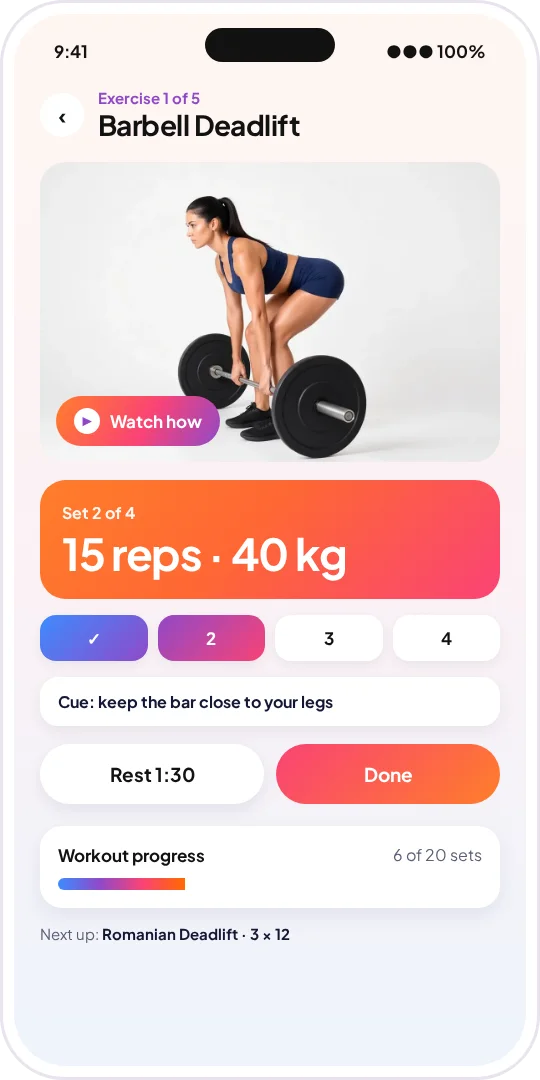
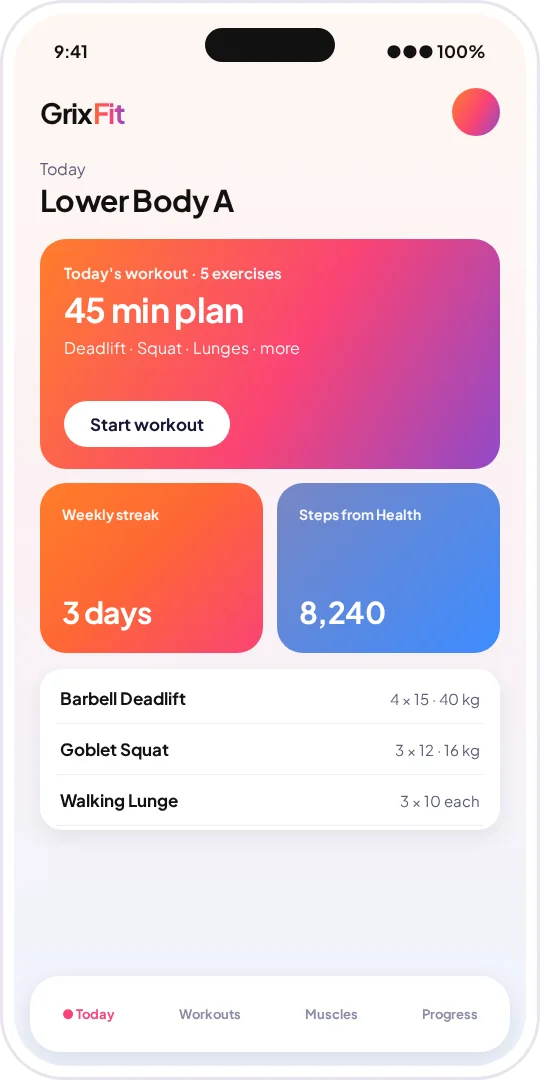
Learn it free. Train it guided.
Learn the lift
Read the free guide on grixfit.com, check the muscles worked and watch the demo clip.
Get your plan
The app builds your workout around your goal, your level and your data.
Follow every set
Do the reps, tap done and let GrixFit set up your next session.

App questions, answered.
What is the GrixFit app?
A guided workout app for iPhone and Android. It tells you each exercise with sets, reps and weight, shows a demo clip when you need it and adjusts your plan as you progress.
Which health apps does it connect to?
The GrixFit app is built to connect with Apple Health on iPhone, Health Connect on Android and Huawei Health.
When does the app launch?
The GrixFit app is coming soon. Follow grixfit.com for the launch.
Do I need to log every set?
No. One tap per set is all it takes, and the app uses your watch and health data to keep your plan on track.
Is the website still free?
Yes. Every guide, program and article on grixfit.com stays free to read.